
Which Planning Method Actually Works Better?
Short Intro
Most people manage their day one of two ways: a running to-do list, or a calendar packed with time blocks. Both feel productive. Only one of them actually protects your time from disappearing into meetings, notifications, and “just a quick reply” emails. If you’ve ever finished a day with every message answered and your most important project untouched, the method you’re using — not your discipline — is probably the problem.
Quick Answer
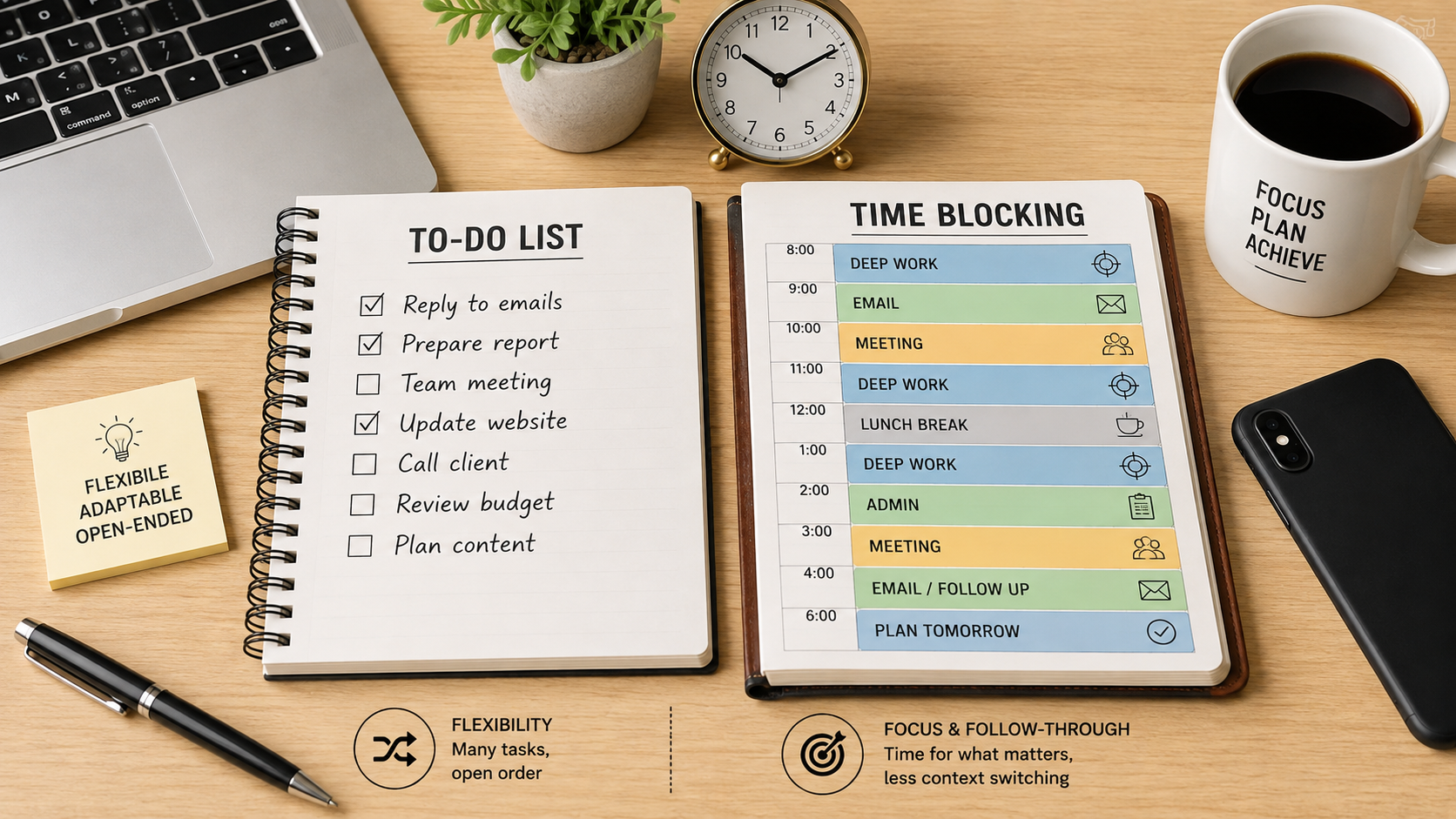
Time blocking wins on focus and follow-through; to-do lists win on flexibility. Research on knowledge workers has found that time blockers complete significantly more of their planned work than people using an unstructured list, largely because blocking removes the constant in-the-moment decision of “what should I do next.” But time blocking only works if your calendar isn’t already full of other people’s meetings — if your day is reactive by nature, a well-prioritized to-do list will serve you better. Most productive people end up using both: a list to capture everything, and a calendar to decide when the important items actually happen.
What Is a To-Do List?
A to-do list is a running record of tasks you need to complete, with no fixed time attached. It answers the question “what needs doing?” but leaves “when will I do it?” completely open. This flexibility is its biggest strength and its biggest weakness — a task can sit on the list for days without ever getting a real commitment behind it.
What Is Time Blocking?
Time blocking means assigning every important task a specific slot on your calendar — not just meetings, but the actual work. Instead of “write the proposal” sitting on a list indefinitely, it becomes “Thursday, 9:00–11:00 AM, write the proposal.” Cal Newport, who popularized the method in his book Deep Work, has called it one of the most effective habits a knowledge worker can adopt.
Main Comparison: Why Time Blocking Usually Wins on Focus
Three research threads explain why blocking tends to outperform a floating list:
1. Interruption recovery is expensive. Attention researcher Gloria Mark has documented that once your focus is broken, it takes roughly 23 minutes on average to return to full concentration on the original task. A list invites constant task-switching; a protected block reduces how often that switching happens in the first place.
2. Unfinished goals occupy mental bandwidth. Psychological research on “unfulfilled goals” has found that an open task keeps pulling at your executive-function resources in the background — but simply making a concrete plan for when you’ll do it quiets that mental noise, even before the work starts. A to-do list keeps goals open indefinitely. A calendar slot closes that mental loop early.
3. Decision fatigue adds up. Every time you look at a list and ask “what next?” you’re spending a small amount of cognitive energy. Time blocking moves that decision to your planning session, so your actual work session becomes pure execution.
None of this means to-do lists are useless — they remain the better capture tool. The failure mode isn’t the list itself; it’s never converting the list into a real time commitment.
Useful Example: A Typical Workday, Two Ways
With a to-do list only: 9:00 — check email, reply to a few things 9:40 — Slack messages, one turns into a 15-minute back-and-forth 10:15 — start on the report, get pulled into a meeting at 10:30 11:15 — try to get back into the report, but you’re now scattered By 5 PM, six of your ten list items are done — but the most important one, the report, is still half-finished.
With time blocking: 9:00–10:15 — Deep work block: report (no email, no Slack) 10:15–10:30 — Email/Slack batch 10:30–11:00 — Meeting 11:00–11:30 — Second deep work block: finish report 11:30–12:00 — Admin batch (the smaller list items) By 11:30, the report — your actual priority — is done, and the smaller tasks still get handled in a dedicated batch rather than being scattered across the day.
Mistakes to Avoid
- Blocking more hours than actually exist. If you schedule 11 hours of focused work into an 8-hour day, you’re not planning — you’re setting yourself up to fail and abandon the system within a week.
- Treating blocks as rigid law. A block that gets blown up by a genuine emergency isn’t a failure; re-block at midday rather than scrapping the whole system.
- Blocking every single minute. Leave roughly 20–30% of your day unscheduled to absorb the unexpected — a completely packed calendar collapses the first time something urgent comes up.
- Using vague block labels. “Work on project” doesn’t tell you what to do when the block starts. Use a specific, single output per block, such as “draft section 2 of Q3 report.”
- Running a to-do list with 20+ open items. A list that never shrinks creates the exact anxiety and decision fatigue that made you want a better system in the first place. Cap it, or move the excess into a “someday” list you review weekly.
Action Plan: Building a Hybrid System
- Keep a single capture list. Every task, idea, and request goes here first — this is your inbox, not your plan.
- Once a day (or once a week), review the list and pick the 2–4 items that actually matter.
- Block your peak-energy hours (commonly mid-morning for most people) for the single most important item — your “power hour.”
- Batch small tasks — email, admin, quick replies — into one or two dedicated slots rather than letting them interrupt focus blocks.
- Leave buffer time unscheduled for overflow and emergencies.
- Re-block at midday if the morning didn’t go as planned, instead of abandoning the day’s structure entirely.
- Review at the end of the day or week — what actually got protected, and what kept slipping? Adjust your blocks accordingly.
Final Thoughts
The debate isn’t really “time blocking vs. to-do lists” — it’s “reactive vs. intentional.” A to-do list tells you what needs to happen; time blocking forces you to decide when it will. If your calendar is largely your own to control, blocking your most important work will very likely get more of it done. If your day is dictated by other people’s schedules, focus on a tightly prioritized list and protect just one or two blocks a day for what matters most. Either way, the goal is the same: stop letting your most important work compete for leftover time.
FAQs
Which method is better for people with ADHD or who struggle with distraction? Time blocking tends to help more here, because it removes the moment-to-moment decision of “what next,” which is often where distraction creeps in. Shorter blocks (25–45 minutes) with a visible timer tend to work better than long, open-ended blocks for people who find sustained focus difficult.
Can I combine time blocking with a to-do list instead of choosing one? Yes — this is what most productivity researchers and practitioners actually recommend. Use a list to capture and prioritize tasks, then move only the highest-priority items onto your calendar as protected blocks. The list handles “what,” the calendar handles “when.”
Does time blocking work for jobs with unpredictable schedules, like customer support or sales? It’s harder, but not impossible. In reactive roles, block smaller, more flexible windows (30–45 minutes) rather than long blocks, and expect to re-block frequently. A pure to-do list with clear priorities may serve these roles better than a rigid calendar.